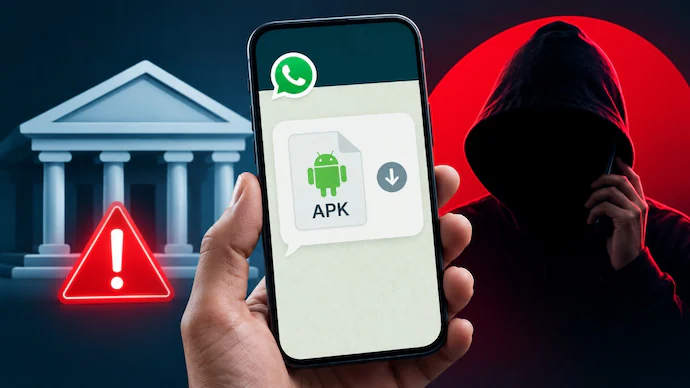
The Call Sounded Completely Real
The call came at an ordinary time, which made everything feel less suspicious. The person on the other side introduced himself as a bank representative and immediately started talking about a supposed security problem with my account. He sounded confident, knew some basic details, and spoke with the urgency people normally associate with banking emergencies.
He said my bank account could be blocked unless I completed a quick verification process. Then came the dangerous part, delivered almost casually, as if it were normal banking procedure. He asked me to install an APK file on my phone for completing the verification.
That one request should have ended the conversation immediately. Instead, the pressure made the situation confusing for a few moments. The caller kept insisting that the application was required and that delaying the process could affect my banking access.
The APK Request Changed Everything
The biggest warning sign was not actually the account problem. It was the request to install an application from outside the official app store. Legitimate banks generally provide their official mobile applications through recognized platforms and direct customers toward verified banking channels.
The caller claimed the APK was a special security application. He said it would help confirm my identity and protect the account from unauthorized transactions. That explanation sounded technical enough to confuse someone who was already worried about losing access to their money.
I was then asked to download the file using a link sent during the call. This is where an ordinary-looking bank scam can quickly become a serious phone security problem. A malicious APK can potentially request powerful permissions and may give criminals opportunities to monitor activity or steal sensitive information.
The important thing here is simple. Never install an APK because an unknown caller says your bank requires it.
Why These Fake Bank Calls Work
Banking scams do not always depend on complicated technology. Sometimes the strongest weapon is simply pressure. Scammers create a situation where the victim feels something bad will happen unless they act immediately.
The caller may mention suspicious transactions, account suspension, KYC problems, card cancellation, or unusual login activity. These topics are effective because customers naturally become nervous when their money appears to be involved.
The conversation can also sound surprisingly professional. Scammers may use formal language, prepared scripts, fake employee names, and convincing explanations. Some criminals even pretend to transfer the call between different departments.
That creates an illusion of legitimacy.
The victim starts thinking that several people are involved, so the situation must be genuine. In reality, the entire conversation can be controlled by the same scammer or criminal group.
The Dangerous Part Comes After Installation
Installing the APK is where the risk can become much bigger. Depending on what the malicious application does, it may request access to messages, notifications, contacts, storage, accessibility features, or other sensitive functions.
Some malicious applications are designed to capture information displayed on the screen. Others can abuse accessibility permissions to interact with applications or observe activity. Criminals may also attempt to intercept one-time passwords or manipulate users into approving transactions.
This does not mean every APK file is automatically malicious. Android applications can legitimately be distributed outside major app stores for certain reasons. The problem is installing an unknown file because a stranger claiming to represent your bank instructed you to do so.
That distinction matters.
The Scammer Started Asking More Questions
After pushing the APK installation, the caller began asking questions that felt increasingly uncomfortable. He wanted confirmation of information connected with the bank account and kept returning to the idea of completing the verification quickly.
This is another common pattern in financial fraud. The scammer first creates fear, then offers a solution, and finally asks for information or access that can help complete the theft.
Customers should never share their banking passwords, card PINs, CVV numbers, UPI PINs, or one-time passwords with callers. Banks do not need customers to reveal secret authentication credentials over a random phone conversation.
Even when the caller already knows some personal information, that does not prove the person works for the bank.
I Stopped Before Sharing Anything Sensitive
The situation became suspicious enough that I decided not to continue with the instructions. Instead of following the caller’s directions, I ended the conversation and chose to verify the issue independently.
That decision made a huge difference.
The safest approach during a suspicious banking call is to disconnect first. Customers should then contact their bank through the official phone number printed on their debit card, official banking website, or verified mobile application.
Do not call back using the number provided by the suspicious caller. Do not click another link they send. Most importantly, do not allow urgency to replace basic verification.
A few extra minutes can be far less costly than recovering money after a fraudulent transaction.
Red Flags Customers Should Notice
There are several warning signs that can expose this type of scam quite early. A caller demanding immediate action should always make customers cautious, especially when money or account access is involved.
A request to install an unknown APK should be treated as another major warning sign. The same applies when someone asks for remote-access software, screen sharing, banking passwords, UPI PINs, card details, or OTPs.
Threatening language is another common tactic. Statements such as “your account will close today” or “your card will stop working within minutes” are designed to make people panic.
Real financial institutions can have urgent security procedures, but customers should independently verify those claims rather than blindly following a caller’s instructions.
What To Do If You Installed It
If someone has already installed a suspicious APK, the situation needs to be handled quickly. Disconnecting the phone from the internet can be a useful first step while the application and permissions are investigated.
The suspicious application should not simply be ignored. Check recently installed applications and review permissions granted to anything unfamiliar. If the application has accessibility, SMS, notification, device administrator, or other powerful permissions, those permissions deserve particular attention.
Contact the bank through an official channel and explain exactly what happened. If any unauthorized transaction has occurred, report it immediately and follow the bank’s fraud-response instructions.
Changing important passwords from a separate trusted device may also be appropriate, especially if sensitive information could have been exposed. Avoid using the potentially compromised phone for further financial activity until it has been properly checked.
Never Trust Caller ID Alone
Caller ID can create false confidence during a scam. Seeing a familiar-looking number does not necessarily prove that the call came from the bank.
Criminals can use techniques that make calls appear more trustworthy than they really are. They may also know enough information about a customer to make the conversation sound authentic.
That is why independent verification remains important.
If someone claims to represent your bank, end the call and contact the bank yourself using an official channel. This removes the scammer from the communication chain and gives you a much safer way to confirm whether an actual problem exists.
A Simple Rule Can Prevent Major Losses
There is one rule worth remembering whenever a financial call becomes stressful. Never make important banking decisions while a stranger is pressuring you on the phone.
Stop.
Disconnect.
Verify independently.
That small habit can prevent many scams involving fake bank representatives, malicious APK files, remote-access applications, and stolen authentication information. Technology keeps changing, but the basic psychology behind these scams remains surprisingly familiar.
The criminal wants you to react before you have enough time to think.
Giving yourself that time is one of the strongest protections available.
Conclusion
Fake bank calls involving malicious APK files are becoming a serious digital safety concern because they combine social engineering with potentially dangerous mobile applications. The scam does not always look suspicious at first, especially when the caller sounds professional and creates fear around account security. However, customers should never install unknown applications, share confidential banking credentials, or follow urgent financial instructions from unsolicited callers. Independent verification through official banking channels remains the safest response. If you receive a suspicious banking call, stop the conversation and verify everything before taking action.